From 20Vision, makers of AI Architectures · 16,000+ users · customers in 75+ countries · since 2022
WCAG 2.2 AA · ADA · Section 508
Is your website WCAG compliant? Check it now.
Paste your address and see what fails WCAG 2.2 AA, where, and the code that fixes it. Tested in a real browser, no overlay widget.
- Tested like a visitorA real browser, a real keyboard walk, zoom to 200%
- Fixed in your codeNo overlay widget to install or rent
- Proof with a dateReport, statement and a retest log every month
Get every page audited, with every fix written out
Full report, an issue sheet your developer can work through, the fixes as code, an accessibility statement, and a dated retest every month so you can show the work.
Choose the pages yourself (optional)
Cancel any time. Refund within 14 days if it misses. Card payment by Stripe. By continuing you agree to the Terms and Privacy Policy and ask us to start right away.
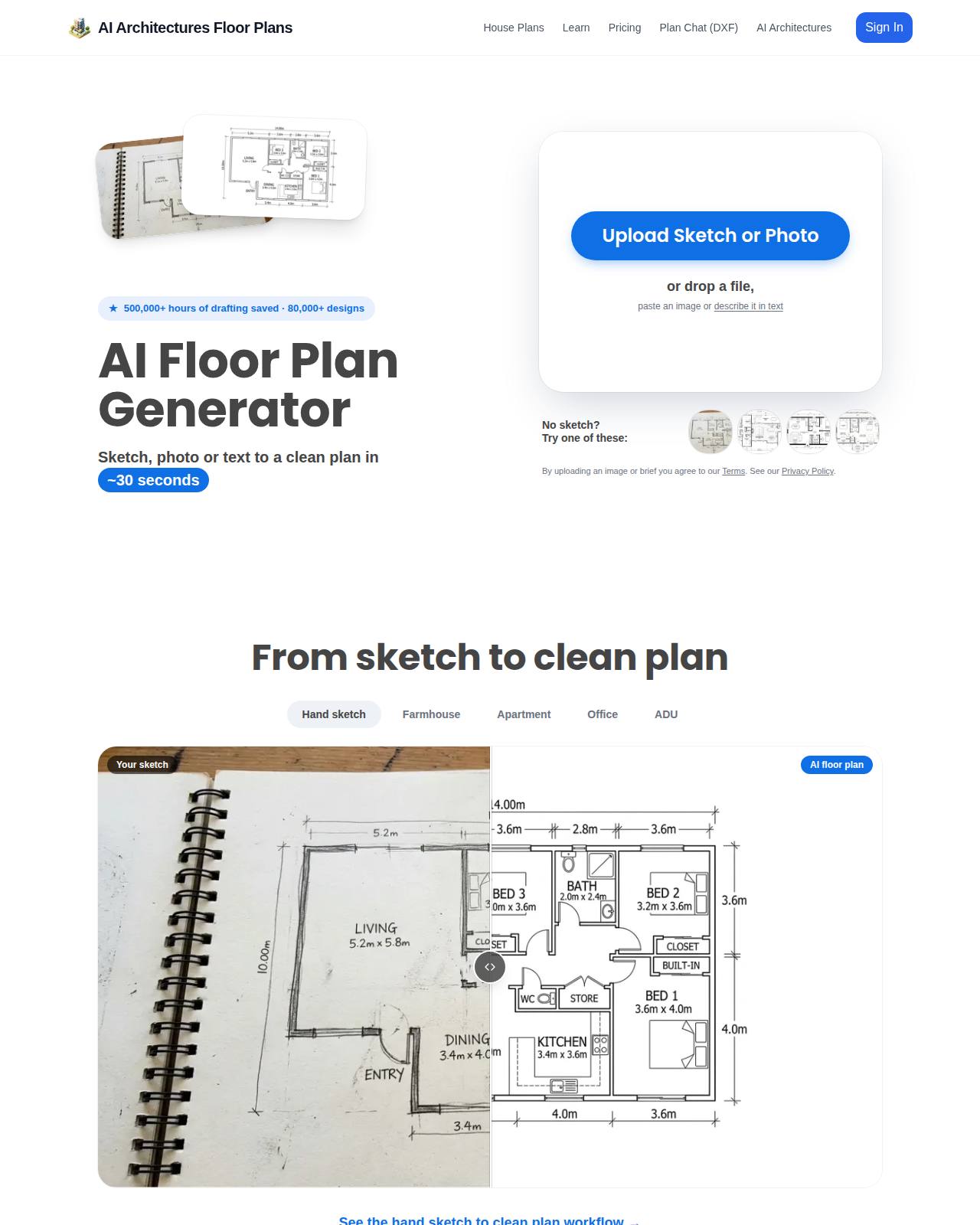
Example: a real check, not a mockup
floorplan.ai-architectures.com
Checked Nov 11, 2026 against WCAG 2.2 AA. One page tested: https://floorplan.ai-architectures.com/
- 2 Serious
 12
What we found
Text is too faint to read
- Who it stops
- People with low vision, and anyone on a phone in sunlight
- Where
.sm\:mb-5 > .sm\:inline.hidden- Measured
- 4.1:1, needs 4.5:1

<span class="hidden sm:inline">500,000+ hours of drafting saved · 80,000+ designs</span>.sm\:mb-5 > .sm\:inline.hidden { color: #0e68d5; } /* 4.6:1 on #e7f1fd */The same kind of text fails in 13 places on this page. If they share a class, one CSS change fixes them all.
You cannot see where the keyboard focus is
- Who it stops
- Keyboard users
- Where
div.max-w-6xl.mx-auto > nav.flex.items-center > div.flexcenter > button.cursor-pointer.inline-block
<button>Sign in</button>:focus-visible { outline: 3px solid #1d4ed8; outline-offset: 2px; } /* 6.7:1 on white; pick a colour with 3:1 against the page */This free check covers one page and the rules a machine can decide alone. The full audit covers up to 10 pages (25 on Pro) and adds the keyboard, zoom, announced-name and alt-text review.
What the full audit hands you
Every month, for every site on your plan.
audit-report.pdfThe reportEvery WCAG 2.2 A and AA criterion marked pass, fail, not applicable or needs a human check, with the test method stated. Written to be read by an owner, a developer or a lawyer.issues.xlsxThe issue sheetOne row per problem: page, element, screenshot, criterion, severity, who it stops, steps to reproduce, the fix, and a status column for your developer.fixes/The fixes as codeCorrected HTML for each element, one CSS file for contrast and focus styles, and alt text written for every image that lacks it. Notes for WordPress, Shopify, Squarespace and Wix where we detect them.accessibility-statement.htmlAccessibility statementReady to publish: the standard you aim for, what was tested and when, known limits, and how visitors can report a barrier.retest-log.pdfDated retest logFrom the second month: what you fixed, what is still open, what is new. A running record of the work, with dates.human-checks.mdWhat still needs a personThe short list of checks no software can sign off, each with the exact steps, so a screen-reader tester spends an hour instead of a week.acr-vpat-2.5.docxVPAT 2.5 report draft (Pro)The Accessibility Conformance Report buyers in government and education ask for, filled in from the audit with remarks per criterion. You review and sign it.
How it works
Paste your address
One field, no signup. In about a minute you see what fails on that page, each problem tied to its WCAG criterion, with the fix for the first ones.
We audit your key pages
Up to 10 pages in a real browser, on desktop and phone width: rule checks, a full keyboard walk, 200% zoom and reflow, measured contrast, what every control announces, and a review of alt text, headings and link text.
Fix, publish, retest
Hand the issue sheet and the code to whoever edits your site, publish the statement, and next month we test again and date the log.
What it does
- Tests each page against all WCAG 2.2 Level A and AA success criteria, which also covers WCAG 2.1 AA (ADA Title II) and WCAG 2.0 AA (Section 508)
- Runs in a real browser at desktop and phone width: open-source rule engine, Tab-key walk of every control, focus visibility, keyboard traps, 200% zoom and 320px reflow
- Measures contrast on the rendered page, including text on images and gradients, and gives the measured ratio
- Records what each button, link and form field announces to assistive technology, and flags the ones that announce nothing useful
- Writes the fix for each problem as code, plus alt text for images that have none
- Marks every criterion honestly: pass, fail, not applicable, or needs a human check, with the reason
- Writes your accessibility statement and, on Pro, a VPAT 2.5 Accessibility Conformance Report draft
- Tests again every month and keeps a dated log of what was fixed, what is open and what is new
What it won't do
- Install an overlay or widget: nothing is added to your site, and the fixes go into your own code
- Replace a person testing with JAWS, NVDA or VoiceOver: we list exactly which checks still need one
- Issue a certificate or promise you cannot be sued: nobody honestly can
- Give legal advice or answer a demand letter: that is a lawyer's job, and the report is written so one can read it
- Log in to your site, your CMS or any account, or change your website for you
- Audit pages behind a login, PDF documents, native mobile apps, or the accuracy of video captions
What people pay for this today
| WCAG audit by a specialist firm (Accessible.org, listed range) | $1,250 to $2,750, 1 to 2 weeks |
| Manual audit plus fixes for a 59-page dental site (Upwork post, Nov 3, 2026) | $2,500 fixed |
| Overlay widget (accessiBe list prices) | $59 to $479 a month |
| VPAT report gigs on Fiverr with 20+ reviews (our scan) | $200 to $300 |
| Freelance accessibility testers on Upwork (posted rates) | $15 to $100 an hour |
| MyClawn WCAG Audit, every month | from $39 a month |
Prices read from the providers' own pages and from public job posts and gigs in November 2026. Their scope differs from ours: specialist firms test by hand with screen readers, which we do not. We count 81 accessibility job posts on Upwork in the 28 days to Nov 11, 2026.
Pricing
Questions
What is WCAG compliance?
WCAG, the Web Content Accessibility Guidelines, is the W3C standard for making websites usable by people with disabilities. "Compliant" in practice means your pages meet every Level A and AA success criterion of the version a law or contract names: WCAG 2.1 AA for US state and local government sites under ADA Title II, WCAG 2.0 AA for US federal purchasing under Section 508, and WCAG 2.2 AA as the current version. Testing against 2.2 AA covers the older two.
Is this a real audit or just a scan?
More than a scan, less than a human expert with a screen reader, and we say so in the report. A scanner runs rules on the page code. We also drive a real browser: Tab through every control, zoom to 200%, narrow to phone width, measure contrast on the rendered pixels, read what each control announces, and review alt text, headings and link text. What still needs a person is listed with the exact steps.
Will this protect me from an ADA lawsuit?
No one can promise that, and you should distrust anyone who does. What you get is what actually reduces risk: the barriers found and fixed in your code, a published statement, and a dated record that you test and repair every month.
Why not just install an accessibility widget?
Because a widget leaves the page code as it is. In January 2025 the US Federal Trade Commission announced an order requiring a widget maker to pay $1 million over claims that its plug-in could make any website WCAG compliant. Buyers in our data say the same: several job posts ask to remove an overlay and fix the site itself.
What do I get from the free check?
A real test of the one page you paste: how many problems, which WCAG criteria fail, where they are on the page, and the written fix for the first ones. No signup and no card.
Do I need to give you access to my website?
No. We only load your public pages, the way a visitor does. You or your web person apply the fixes. We never ask for a password.
Which platforms does it work with?
Any public website. The report adds platform notes when we detect WordPress (including Elementor, Divi and Avada), Shopify, Squarespace, Wix or Webflow, because where you apply a fix differs on each.
What is the VPAT report on the Pro plan?
A VPAT is the template buyers in government and education ask software vendors to fill in; the filled-in document is called an Accessibility Conformance Report. On Pro you get a draft in the current VPAT 2.5 format, WCAG edition, completed from the audit with remarks per criterion and the test methods stated. It is your report: you review it, correct it and sign it.
Why pay monthly?
Websites change every week, and each new page, plugin update or banner can add a barrier. A monthly retest catches that and builds a dated record of the work. Cancel any time from your account page.
Can I cancel or get a refund?
Cancel any time; you keep access until the end of the paid month. If the first audit misses, email us within 14 days for a refund.
Who is behind this?
MyClawn WCAG Audit is a service of 20Vision GmbH in Vienna, Austria, the company behind AI Architectures.
Guides and details
WCAG compliance: what it takes, and how to prove you did the work
What WCAG compliance means for a business website in 2026, which version each law names, how sites get tested, and what a documented audit with fixes costs.
WCAG 2.1 AA: what it requires and how to test your site against it
WCAG 2.1 Level AA in plain English: the 50 success criteria, who is required to meet them and by when, the failures found most often, and how to test your site.
WCAG 2.2: what changed, and what it means for your website
WCAG 2.2 became a W3C Recommendation on October 5, 2023. The nine new success criteria explained with examples, the one that was removed, and how to check your site.
VPAT: what it is, which edition you need, and how to get yours done
A buyer asked for your VPAT. What the template is, which edition to use, how an Accessibility Conformance Report gets filled in, what it costs, and how to get a tested draft.
508 compliance: what Section 508 requires and how to show you meet it
Section 508 compliance explained for vendors and web teams: who it binds, the WCAG version it uses, how agencies check, and how to test a site and document the result.
Website accessibility checker: what fails on your page, and how to fix it
Check a web page against WCAG 2.2 AA in a real browser. See each failure pinned on a screenshot of your page with the code that fixes it, and what a checker cannot tell you.
ADA compliance for your website: what the law expects and what to do
ADA website compliance for US businesses: what the law does and does not say, why WCAG AA is the yardstick, why widgets do not settle it, and the steps that reduce your risk.
ADA Title II web rule: the 2027 and 2028 deadlines and how to be ready
The ADA Title II web accessibility rule in plain terms: who must comply, the 2027 and 2028 deadlines after the April 2026 extension, the five exceptions, and how to prepare.